
We have modernized our Identity Server.
This provide:
– More stable login,
– Higher security through updated token processes.
Benefit:
Faster and more reliable access to FlyNex
| Before | After |
|---|---|
 |
1. Step
|
| 2. Step: a) Password entry
|
|
| or SSO via Microsoft or Google (externally)
|

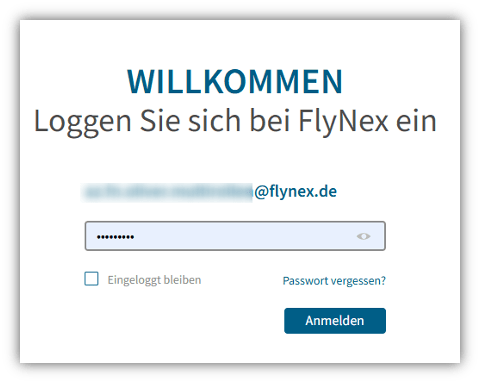

Logic: FlyNex automatically detects whether the email is associated with a password login or an external SSO provider and redirects the user accordingly. This removes the manual selection of the login type and makes the process faster and more intuitive.
Ground Control Point.
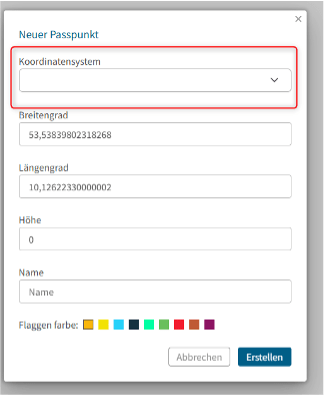
New dropdown for selecting the elevation system (geoid) when creating/editing ground control points.
Selection is saved and used for calculations.
Inputs are automatically transformed to WGS84.
The frontend displays both the original and the converted values.
3D Models & Orthophotos
New dropdown for selecting the target elevation system.
After calculation in WGS84, the result is back-transformed into the selected system.
Uniform Calculation Logic
All input data is first transformed to WGS84.
Results are then output in the selected elevation system.
| Before | Nachher |
|---|---|
| Selection of one coordinate system only
|
Selection of horizontal and vertical coordinate system
|
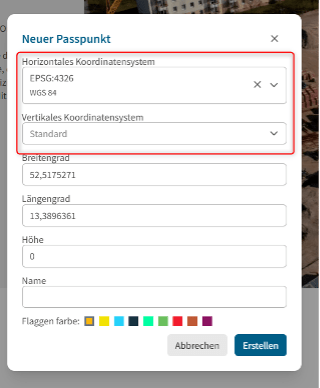
Note: The Gauß-Krüger elevation system is not yet functional in the current version.
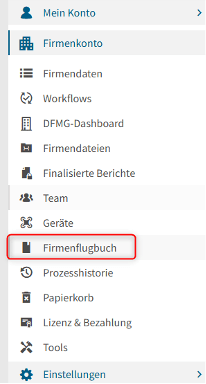
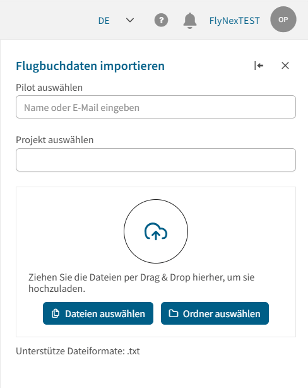
The flight log overview has been extended: Administrators can now centrally upload flight logs (.txt) for individual pilots. A new right-hand panel enables the selection of pilot and project via search, as well as the uploading of multiple files (max. 10 MB each).
After initiating the start, the system displays the import status for each file. Failed uploads are listed separately (“Import partially failed”) and can be reprocessed using a retry function. The process runs as a fire-and-forget process: no upload data is stored or logged. The panel is closed manually upon completion.
Benefit: Centralised, significantly more efficient management of flight logs. Pilot and project assignments are simplified, and direct status messages increase transparency and control. Failed uploads can be specifically reprocessed.
 |
 |
|---|